

If you look at Tenant Manager today, it is very clearly built around policies, backups and drift. That is where it has always been strongest.
The obvious gap has been apps.
Not because anyone promised it, but because in the real world apps and policies always travel together. You secure and structure your tenant on one side, you patch and maintain applications on the other, and you spend your days bouncing between tools to keep both under control. More importantly, we all know there is no easy way of retrieving your Win32 apps once they have been uploaded to Intune.
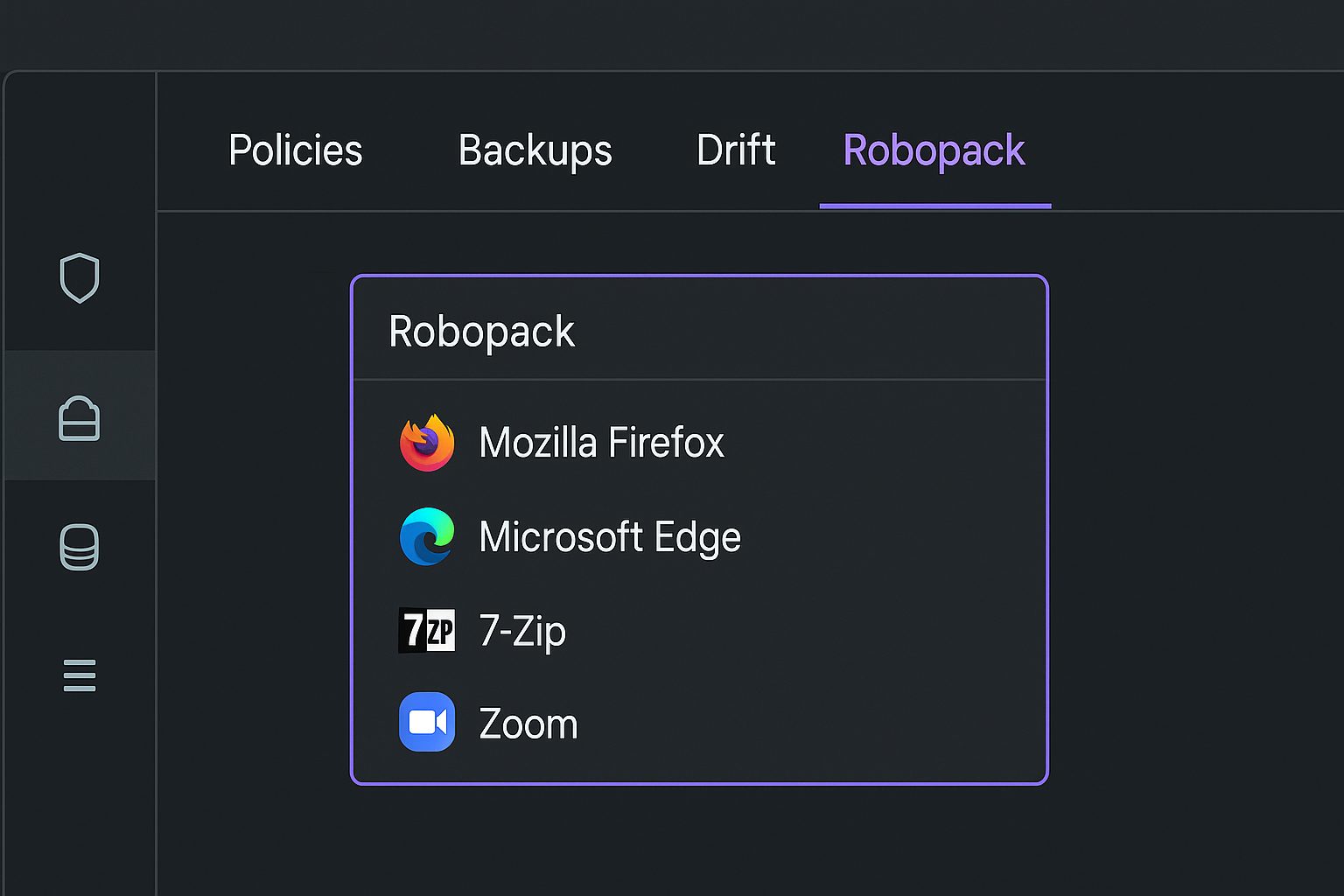
So instead of trying to reinvent something that already works brilliantly, we decided to integrate Robopack directly into Tenant Manager.
Now, when you jump into the product, there’s a new Robopack pane that sits next to your backups, drift detection and CIS checks. You open it, and you see your apps in the same place where you manage your policies and restore points. Simple. Clean.
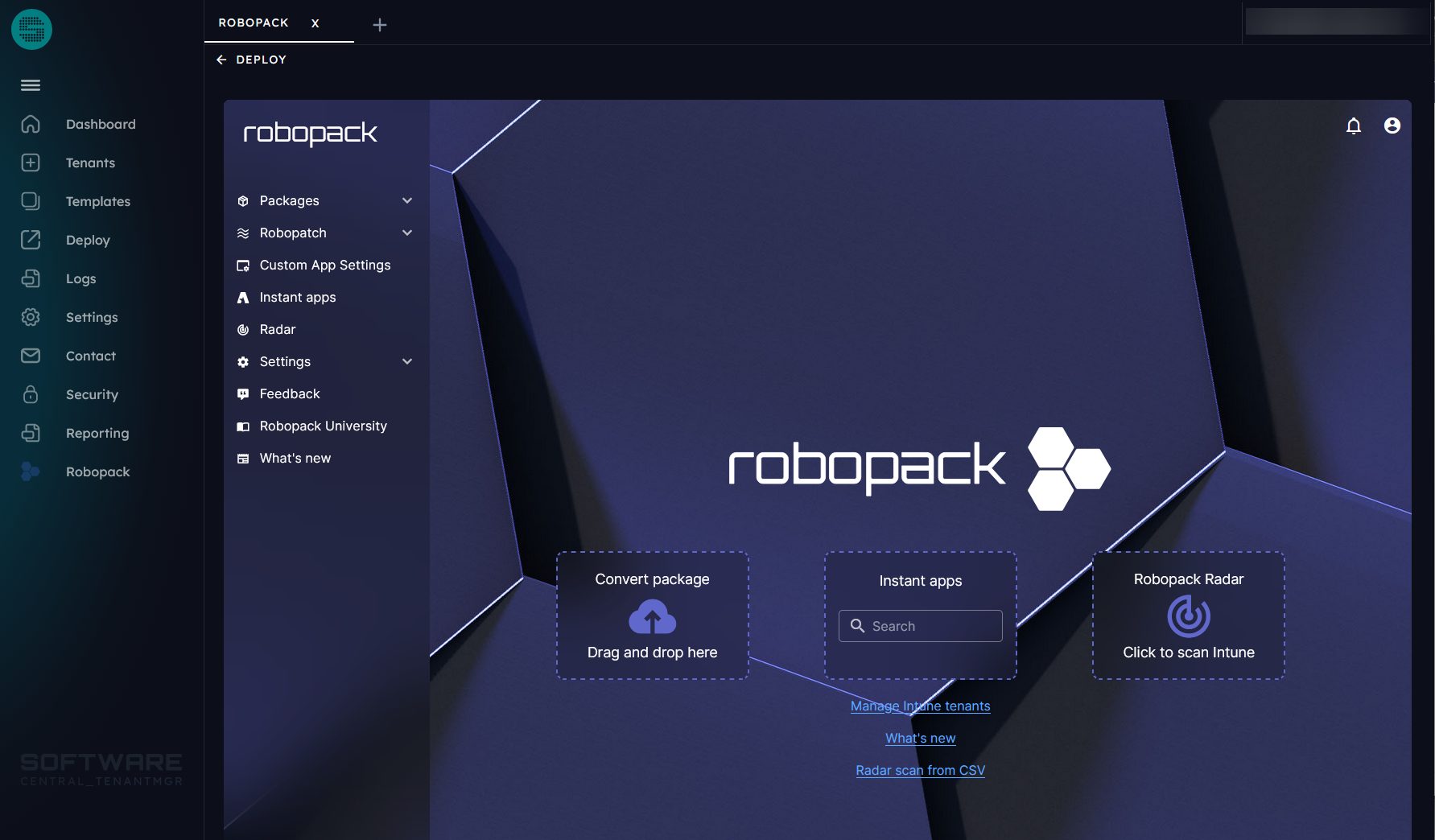
Why we’re doing this (the real reason)
Anyone who has managed an Intune tenant with multiple admins knows where the pain usually comes from. Policies shift, assignments get changed, and sometimes something gets deleted without context. Tenant Manager already covers that space well with backups, drift detection, approvals and restore points.
Robopack sits on the other side of the same reality. It handles applications, patching and keeping software current without relying on scripts or manual checks.
In practice these two areas are connected.
You can tighten your policies as much as you want, but if your apps are outdated or inconsistent, the environment still feels messy. And when things go wrong, you often end up switching between tools to figure out whether it’s a policy issue, an app issue or a mix of both.
This integration exists to remove that gap. Not to merge the tools, not to rebuild features that already work well, but simply to let you see your apps inside the same operational window where you already check drift, restore backups and manage changes.
It’s a small addition, but it makes the workflow make more sense.
Why the integration matters
- Policies and apps impact the same user experience
Updated apps or updated policies could cause issues, whether for the end-users, or during provisioning. Integrating them gives you one place to check for both. - Tenant Manager already protects the “change layer”
Backups, restore points, approvals, drift checks — that ecosystem is built for reducing mistakes.
Having your app view inside that space keeps everything closer to how admins actually troubleshoot. - Less portal hopping, more clarity
There are over 100 different portals for Microsoft alone and we are tired of switching between them. Add in multi-tenant management and your browser tabs and windows are starting to look like Internet Explorer with hundreds of toolbars from the 90s.
One less place to jump between is a win
See the walkthrough with Dean Ellerby here:
A quick note on what’s coming next
You’ll also see the first version of Reporting appear in Tenant Manager.
This is an early release by design, focusing on practical insights rather than a long feature list. The initial scope covers configuration profile errors and compliance, which are two areas where most teams benefit immediately from clearer visibility.
It’s a starting point, not a full reporting suite yet.
The goal is to give customers something useful today while we continue to shape the broader reporting experience together with real feedback.
This approach has worked well for Tenant Manager so far: release the essentials, validate the direction with the community and iterate quickly. Reporting will follow the same path.
If you already use Tenant Manager or Robopack, this update should feel natural.
If your team uses both, it will probably feel like something that should have always been there.
As always, feedback is welcome. Tell us what works, what does not and what would make your day-to-day easier. This is the input that shapes where the tool goes next.
If you are not yet using Tenant Manager but are eager to see how it works together with Robopack, book the demo.