


If you manage Windows updates through Intune, you know the pattern.
Patch Tuesday arrives.
You have Autopatch configured, sit back and watch the updates deploy. Then the pesky reboot popup appears and the users just keep hitting defer, I’m too busy, I will sort it later, but they never do.
Then your Defender portal lights up like a cursed Christmas tree and your security team starting sending you multiple Teams messages. I thought Autopatch handled updates, why are we so behind on updates?
Now you have a choice, force a reboot on users, or start begging with them to please reboot. Neither is ideal and whichever you pick, you will be the bad guy.
It’s a tale as old as Windows and most of us have the grey hairs to prove it.
Fortunately for you, Hotpatch is skipping along the virtual fields towards you ready to solve this issue.
Instead of waiting for a reboot, Hotpatch applies security updates directly while the device is running without requiring a reboot! Security updates still arrive monthly, but they can be applied without waiting for a reboot. That means devices are protected sooner, without forcing users to stop what they are doing.
If you are on Windows 11 24H2 or later, using the right licenses and policies, you already have access to it. Sounds perfect doesn’t it, yet we come across so many companies who have yet to deploy it. You’re busy, we completely understand that, especially if you are managing multiple tenants, finding time to play with new things is a nice to have, but you’re spending your days putting out customer fires and when that’s done, there is nothing left in the mental tank.
This is why we have integrated Hotpatch into Tenant Manager.
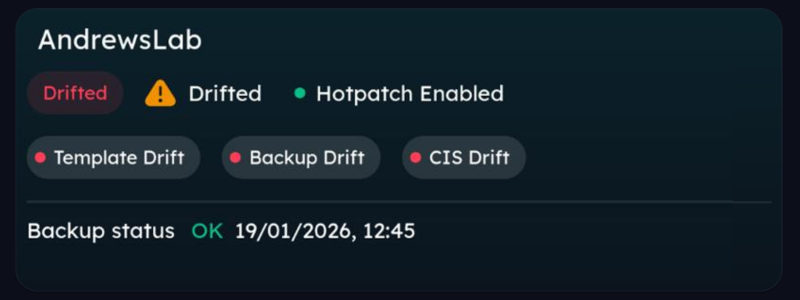
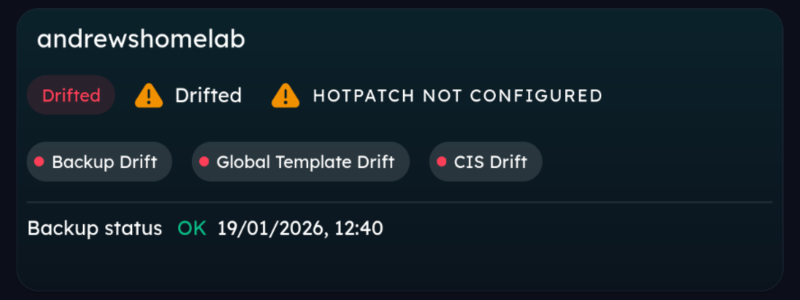
After onboarding a tenant, you will see a notice saying either Hotpath is enabled or is not deployed.
If it is not deployed, simply click the text and it will configure everything for you and yes, that includes the pre-requisite virtualization-based security policy. If it is not deployed, simply click the text and it will configure everything for you and yes, that includes the pre-requisite virtualization-based security policy.
The bigger picture..
Over time, managing tenants becomes less about individual features and more about knowing what state things are in (and who has broken what).
Hotpatch is a good example. It works best when the prerequisites stay in place and when you can see, at a glance, whether that is still true. Bringing Hotpatch readiness into Tenant Manager is about making that visibility part of everyday work, instead of something you have to double-check after the fact.
Want to see it in action?
If you want to understand how Hotpatch readiness looks across real tenants, book a demo or get in touch.
If you have ideas for how this should evolve, please tell us. The roadmap is open for input, we really want to make this community focused.